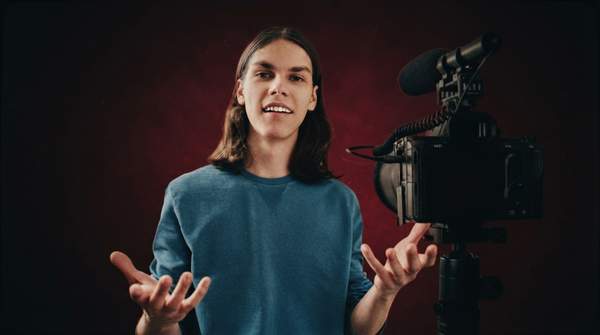
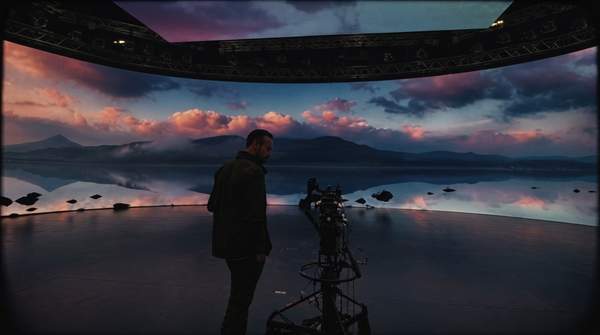
Imagine you need to produce a full month's worth of social media videos, but you only have a single afternoon to film. You could spend hours setting up shots, repeating lines, and changing outfits. Or, you could record a few minutes of source material and let a digital version of yourself do the rest. This is the promise of an AI twin generator, an emerging technology that allows you to create a photorealistic, talking digital persona capable of generating endless content from a simple text script. For the modern creative professional, this isn't science fiction; it's a new frontier in workflow efficiency and content scalability.
What Is an AI Twin Generator?
An AI twin generator is a tool that uses artificial intelligence to create a digital version of a person or character, replicating their facial appearance, voice, and mouth movement. Think of it as a highly advanced, personalized avatar. Unlike a generic character you might create for a video game, an AI twin is built from your specific likeness and vocal patterns. It's designed to be a reusable, controllable digital asset that can speak any lines you provide, all while maintaining your unique on-camera presence. This technology represents a significant leap from simple avatar creators by turning a static identity into a dynamic, speaking replica.
The creation process fundamentally combines three core AI technologies. First, a visual identity is established, often by transforming a high-quality photograph or short video clip into a movable, expressive digital face. Second, a voice cloning model is trained on a sample of your speech to create a synthetic voice that mirrors your tone, pitch, and cadence. Finally, a sophisticated lip-sync engine synchronizes the mouth movements of your visual avatar with the generated audio, ensuring the final output looks and sounds natural. The result is a digital you, ready to star in your next video project without you ever having to step in front of the camera again.
How an AI Twin Generator Works: Step by Step
Creating a digital replica of yourself might sound complex, but modern platforms have streamlined the process into a series of manageable steps. By providing the right source material and understanding the underlying technology, you can generate a high-quality AI twin for your own content. Let's break down the key steps involved in this workflow.
- Step 1: Establish Your Visual Identity The foundation of your AI twin is a clear, high-quality visual. This is the image or video the AI will learn from to animate. Most platforms require a well-lit, front-facing portrait photo or a short video clip of you looking directly at the camera. According to a guide from the AI video platform High-Reach AI, using a 4K phone camera or a good webcam is essential for capturing the necessary detail. Pay close attention to your environment: use soft, even lighting to avoid harsh shadows, and choose a neutral, uncluttered background so the AI can easily isolate your face. Your expression in this source material matters, as it will often serve as the default "at rest" look for your twin, so aim for a neutral yet approachable look.
- Step 2: Capture and Clone Your Voice A convincing AI twin needs to sound like you, which requires a high-fidelity voice sample. This process, known as voice cloning, involves recording yourself speaking for a few minutes so the AI can analyze and replicate your unique vocal characteristics. Platforms like Fliki note that this typically requires a voice sample of about two minutes. To ensure the best results, record in a quiet room with minimal echo, using a quality microphone if possible. You’ll be asked to read a provided script, which often includes a consent statement confirming you agree to have your voice cloned. This is a crucial ethical safeguard to prevent unauthorized use and is a standard requirement on reputable platforms. Some services may offer voice cloning as a premium feature requiring a paid subscription.
- Step 3: Train the AI on Your Data With your visual and audio assets uploaded, the AI twin generator gets to work. The platform's algorithms process your photo or video, mapping your facial features to create an animatable model. Simultaneously, the voice cloning model analyzes your audio recording, breaking it down into its core components—pitch, tone, and phonemes—to build a synthetic voice that can articulate any word. This training process can take anywhere from a few minutes to several hours, depending on the platform's complexity and the quality of the data you provided. This is the most computationally intensive part of the process, but it happens entirely on the platform's servers.
- Step 4: Integrate the Lip-Sync Engine Once your visual model and cloned voice are ready, the final piece of the puzzle is bringing them together. This is handled by a lip-sync AI, the third layer in the technology stack. When you later provide a script for your twin to speak, the platform first generates the audio using your cloned voice. The lip-sync engine then analyzes that audio file, identifying the specific sounds (phonemes) and mapping them to corresponding mouth shapes (visemes). It animates your visual twin's mouth, jaw, and surrounding facial features to match the generated speech, creating the illusion of natural, synchronized dialogue. The quality of this engine is what separates a believable AI twin from a clunky, robotic animation.
- Step 5: Generate Content from a Text Script This is where the creative power of your AI twin is unleashed. To create a new video, you simply type or paste a script into the platform’s text editor. You can write dialogue for social media clips, narration for explainer videos, or lines for a corporate training module. The platform feeds this text to your cloned voice model to generate the audio track. That audio is then used by the lip-sync engine to animate your visual twin. The entire process transforms simple text into a finished video segment featuring you as the presenter, allowing you to produce content at a scale and speed that would be impossible with traditional filming.
- Step 6: Refine, Customize, and Export The AI-generated video is rarely the final product. Most platforms offer post-generation editing tools that allow you to refine the output. You can adjust the background, add text overlays, incorporate background music, or splice in other media assets like screen recordings or B-roll footage. This is also your chance to review the twin's performance, checking for any awkward pauses or mispronunciations that might need to be corrected by adjusting the script's punctuation or spelling. Once you are satisfied with the final composition, you can export the video in your desired format and resolution, ready for publishing.
Common Mistakes to Avoid When Using an AI Twin Generator
As with any new technology, there's a learning curve to creating a convincing AI twin. While platforms are becoming more user-friendly, a few common pitfalls can compromise the quality of your digital persona. Avoiding these mistakes will help you produce more professional and engaging content from the start.
- Using Low-Quality Source Material. The most common mistake is providing the AI with subpar data. A blurry, poorly lit photo or a noisy audio recording with background chatter will inevitably lead to a flawed result. The AI can't create detail that isn't there, so your twin may look fuzzy, and its voice may have strange artifacts. To correct this, treat the initial data capture like a professional photoshoot or recording session. Use the highest resolution camera available, ensure your face is evenly lit, and record your voice in a sound-dampened room.
- Ignoring the Uncanny Valley. Technology has come a long way, but a perfect, indistinguishable digital human is still incredibly difficult to achieve. When an AI twin is almost realistic but has subtle flaws—like unnatural eye movements or slightly off-sync lips—it can fall into the "uncanny valley," making viewers feel uneasy. Instead of chasing flawless realism, focus on believability. Sometimes, a slightly stylized look is more effective. Test different source photos and experiment with shorter scripts first to see what looks most natural for your specific twin.
- Neglecting Ethical Transparency. Using an AI version of yourself without disclosing it can erode audience trust. If viewers feel deceived, it can damage your credibility. The ethical approach is to be transparent about your use of AI. A simple hashtag like #AIGenerated or a brief disclaimer in your video description is often sufficient. This is especially important as guides for creators, such as one shared in a Facebook community, become more common, indicating a growing need for established best practices.
- Overlooking Script and Pacing Nuances. Your AI twin will perform your script exactly as it is written, without the natural intuition a human speaker has. Long, rambling sentences or a lack of punctuation will result in a monotonous, robotic delivery. To avoid this, write for the ear, not the eye. Read your scripts aloud to catch awkward phrasing. Use commas, periods, and line breaks strategically to guide the AI's cadence and create more natural-sounding pauses in its speech.
Key Considerations for Professional Content Creation
Once you've mastered the basics, you can begin to leverage your AI twin for more advanced and strategic applications. For creative professionals and brands, this technology is more than just a novelty; it's a tool for enhancing efficiency, reach, and consistency across all digital platforms. Thinking strategically about how you deploy your digital persona can unlock significant new opportunities.
Brands use AI twins for content localization, dramatically reducing the cost and complexity of global campaigns. For audiences in Germany or Japan, a translated script can be provided to an AI twin, eliminating the need for voice actors or subtitles. Advanced platforms synthesize the voice in the new language while retaining the original voice's core characteristics, creating a seamless multilingual presence. High-Reach AI notes brands already localize advertisements and training materials this way.
An AI twin ensures perfect brand consistency, serving as an always-available, "on-brand" spokesperson. It delivers every message with the exact same tone and appearance, reinforcing brand recognition and professionalism for businesses or creators with a defined identity. This consistency is invaluable for video series like customer onboarding tutorials, product explainers, or weekly market updates, providing audiences a uniform experience every time.
AI twin technology enables the creation of entirely new virtual personas, not just clones of individuals. Users can generate unique digital characters to act as brand mascots or fictional hosts for niche content channels. This taps into the growing trend of virtual influencers, a generative AI phenomenon reshaping digital engagement. Research in Psychology & Marketing explores how these AI-enabled virtual influencers form powerful audience connections. An article from The Fashion Law further shows AI-generated models redefining fashion marketing, deploying virtual personas in high-stakes commercial settings.
Frequently Asked Questions About AI Twin Generators
How is an AI twin different from a regular avatar?
An AI twin is a digital replica of a specific, real person, created using their actual likeness from a photo or video and a cloned version of their unique voice. A regular avatar, by contrast, is typically a generic or customizable cartoon-like character that doesn't aim to replicate a real individual's distinct appearance and vocal patterns.
Can I create an AI twin of someone else?
Ethically and legally, you should only create an AI twin of yourself or of another person who has given you explicit, documented consent. To prevent misuse and the creation of unauthorized "deepfakes," reputable platforms require the person whose voice is being cloned to record a consent statement as part of the audio sample submission process.
What tools do I need to create my own AI twin?
To get started, you'll need a few basic tools. A high-quality camera, such as the 4K camera on a modern smartphone, is necessary for capturing your visual identity. You will also need a quiet space and a decent microphone for recording your voice sample. Finally, you'll need access to an AI video platform that offers the integrated technology stack of photo-to-avatar conversion, voice cloning, and a lip-sync engine.
How are brands using AI twins?
Brands adopt AI twins for scalable video advertisements across markets, consistent and easily updatable employee training materials, and multi-language product demonstration videos. They also power virtual spokespeople for ongoing digital marketing campaigns and customer support channels.
The Bottom Line
The AI twin generator offers creators unprecedented control over digital presence and content output. By blending unique likeness and voice with AI, it overcomes traditional production bottlenecks, maintains perfect brand consistency, and reaches global audiences with ease. This technology scales creative vision far beyond the limits of time and energy.
To get started, research a few leading AI video generation platforms to compare their features and technical requirements. Once you've chosen one, commit to providing the highest quality source material you can, and begin by creating a short, experimental video. This hands-on experience is the best way to understand the workflow and unlock the full potential of your new digital self.