Content Creation

Top 5 AI Video Generators for Content Creators in 2026

If you're looking for the best AI video generators for content creators in 2026, this ranked guide breaks down the top platforms that are reshaping digital workflows. Choosing the right tool can be the difference between a stalled project and compelling, efficiently produced content.

TC
Tara Collins

April 4, 2026 · 9 min read

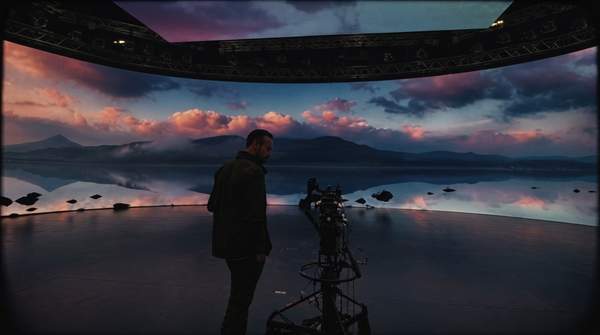
A content creator in a futuristic studio, surrounded by holographic screens showcasing AI-generated video, symbolizing advanced digital content production workflows.

If you're looking for the best AI video generators for content creators in 2026, this ranked guide breaks down the top platforms that are reshaping digital workflows. The world of generative video is evolving at a breakneck pace, and choosing the right tool can be the difference between a stalled project and compelling, efficiently produced content. This list is for the modern creative professional—from solo YouTubers to social media managers and independent filmmakers—who needs actionable insights on which platform best suits their needs. We've ranked the top picks by evaluating their realism, creative control, ease of use, and overall value for specific production scenarios.

Our ranking methodology is based on hands-on performance testing, feature-set analysis, current pricing models, and a synthesis of expert consensus from across the creative technology sector.

1. Google Gemini (Veo 3) — Best for Overall Realism and Control

Google's Veo 3 model, accessed through the Gemini suite, secures the top spot for its impressive balance of high-fidelity output, granular user control, and value. For creators who need a versatile workhorse, Gemini delivers consistently realistic clips that can serve as B-roll, product shots, or conceptual animations. Its ability to understand and execute complex prompts involving specific objects, lighting, and cinematic styles makes it a powerful tool for turning a clear vision into a polished video asset. The platform is currently favored by many professionals for its ability to produce these realistic clips with a high degree of prompt adherence.

This tool is best for the all-around content creator or small production team that needs a reliable generator for diverse projects. Whether you're creating explainer videos for a corporate client, atmospheric footage for a YouTube documentary, or engaging clips for an Instagram Reel, Gemini’s Veo 3 offers the flexibility to tackle it all. It stands above many alternatives because it not only excels at visual generation but also provides passable, context-aware audio, a feature still nascent in most other models. According to testing from PCMag, this combination of quality, control, and a generous free plan provides what they call "best-in-class value," making it an accessible yet powerful starting point.

The primary drawback is that while its audio generation is a significant step forward, it's not a replacement for dedicated sound design. The AI-generated audio can add ambiance but may lack the nuance required for professional final cuts, often necessitating a separate audio workflow. For creators needing high-quality sound, understanding how foley artists create sound effects can provide a valuable perspective on what's still missing from AI-generated audio.
  • Best For: Versatile creators needing high-quality, realistic output for a wide range of projects.
  • Key Data: Features a generous free tier alongside paid plans, offers advanced cinematic controls (e.g., dolly, pan, zoom), and includes integrated audio generation.
  • Standout Feature: Superior prompt comprehension for detailed and cinematic scenes.

2. Runway — Best for Professional-Grade Animation and Fidelity

For creators working at the higher end of the market, Runway remains a dominant force, particularly for its sophisticated animation of human subjects and overall visual fidelity. If your work involves character animation, nuanced facial expressions, or complex motion that needs to look smooth and believable, Runway's Gen-2 model is often the superior choice. It has established itself as a leader for professionals who are willing to invest in top-tier quality and are less tolerant of the uncanny valley effect that can plague other generators.

Runway is the ideal tool for independent filmmakers, animators, and creative agencies producing content where visual polish is non-negotiable. Its strength lies in minimizing the distortion and artifacts that can appear in AI-generated video, especially when depicting people. According to a detailed comparison in Dan Taylor-Watt's newsletter, Runway is considered a quality leader due to its lower distortion and better animation of people and faces. A key workflow enhancement is its preview feature, which allows you to generate four still images from your prompt before committing expensive credits to a full video render. This lets you fine-tune your concept at the storyboard phase, saving both time and money.

However, this professional-grade quality comes at a premium price. The same source notes that Runway's pricing structure works out to approximately one dollar for every ten seconds of generated video after the initial free credits are used. This can become costly for creators who need to produce content in bulk or require numerous iterations to get a shot right, positioning it as a tool for high-value projects rather than everyday social media posts.

  • Best For: Animators, filmmakers, and high-end creators who prioritize character animation and visual fidelity.
  • Key Data: Priced at a premium, approximately $1 per 10 seconds of video on paid tiers. Key features include the Gen-2 model, Multi-Motion Brush for directing movement, and a 4-image preview system.
  • Standout Feature: Industry-leading quality for animating human subjects and faces with minimal distortion.

3. Kling — Best for Dynamic Multi-Shot Scenes

Kling excels in AI video with its multi-shot generation, a powerful feature for storytellers. It interprets a single prompt to create a sequence of shots with varying perspectives and camera angles, all within one generation. This allows for dynamic, narrative-driven videos, eliminating the need to generate and edit multiple clips.

This platform is perfectly suited for marketers creating short video ads, social media managers building a narrative over a series of posts, or any creator looking to produce a mini-story in a single step. For example, a prompt like "A chef meticulously chops vegetables, then plates a beautiful dish, followed by a customer's delighted reaction" could be rendered as a cohesive three-shot sequence. According to a report from AIToolsSME, Kling's multishot capability allows it to smoothly change perspectives, a functionality that sets it apart from competitors focused on single-shot realism. This makes it an incredibly efficient tool for pre-visualization and rapid prototyping of narrative concepts.

The main limitation of Kling is its relative novelty. As a more recent entry to the market, its core model may not yet match the raw photorealism or consistency of more established platforms like Gemini's Veo 3, especially when it comes to complex physics or subtle human emotions. The focus is on narrative structure over pixel-perfect fidelity, making it a specialized tool for a specific phase of the creative process.

  • Best For: Storytellers, advertisers, and social media creators needing efficient narrative sequences with multiple camera angles.
  • Key Data: Pricing information is emerging. Its core technology is multi-shot generation, creating sequences with different perspectives from a single prompt.

4. Pika — Best for Budget-Conscious Creators

Pika offers exceptional value and accessibility for high-volume AI video creation. It provides robust features at a manageable price point for creators with limited budgets. While not competing with the highest visual fidelity, its output suffices for social media, internal communications, and draft-level concept videos.

Pika is the go-to choice for social media managers, bloggers, and freelance creators who operate on tight budgets. Its primary advantage is its cost-effectiveness. The analysis from Dan Taylor-Watt's newsletter found that Pika costs roughly half the price of Runway—around 50 cents for 10 seconds of video. This 50% cost reduction allows for greater experimentation and higher output, which is critical for platforms like TikTok and Instagram where content velocity is key. If your workflow involves creating dozens of short video clips per week, Pika makes it financially viable.

The trade-off for this affordability is a noticeable dip in quality, particularly when rendering people. The same report highlights that Pika struggles to generate lifelike human subjects, which can sometimes result in an artificial or slightly distorted appearance. For projects where photorealistic human characters are central, you may need to invest in a more premium tool. However, for abstract visuals, product animations, or landscape scenes, Pika offers an unbeatable balance of price and performance.

  • Best For: High-volume creators, social media managers, and those with limited budgets.
  • Key Data: Value-priced at approximately $0.50 per 10 seconds of video, making high-volume AI video creation accessible. Features include text-to-video, image-to-video, and a "modify region" tool.

5. Haiper — Best for Beginners and Quick Experiments

For those just dipping their toes into the world of AI video, Haiper provides the ideal entry point: it's simple, intuitive, and currently free to use. This removes the financial barrier and technical intimidation factor, allowing new users to experiment freely and understand the fundamentals of prompt-based video generation. Its straightforward interface prioritizes ease of use over a sprawling feature set, making it possible to go from idea to video in just a few clicks.

Haiper is best for students, hobbyists, and creative professionals who want to test concepts or generate placeholder visuals without any financial commitment. It’s an excellent sandbox environment for learning how different phrasing, keywords, and styles affect the final output. You can use it to quickly visualize a scene for a storyboard or generate a fun, animated graphic for a personal project. The platform’s accessibility makes it a valuable educational and experimental tool.

The most significant limitation is that its output carries a distinct, stylized "AI aesthetic." The videos often look more illustrative than photorealistic, and the platform lacks the advanced camera motion controls found in tools like Gemini or Runway. This makes it unsuitable for professional projects that demand a high degree of realism or cinematic control. However, for creators who are just starting or whose projects align with a more stylized look, Haiper offers a risk-free way to engage with powerful new technology.

  • Best For: Beginners, students, and anyone wanting to experiment with AI video generation without a subscription.
  • Key Data: Currently free to use. Focuses on a simple text-to-video and image-to-video workflow.
  • Standout Feature: Completely free access, providing an unparalleled, no-risk entry point into AI video.
Tool NameCategory WinnerPrice RangeBest For
Google Gemini (Veo 3)Overall Realism & ControlGenerous Free Tier, Paid PlansVersatile creators needing high-quality output.
RunwayProfessional-Grade FidelityPremium (approx. $1/10s)Filmmakers and animators prioritizing visual quality.
KlingDynamic Multi-Shot ScenesTBD (Newer Platform)Storytellers creating narrative sequences.
PikaBudget-Conscious CreationValue (approx. $0.50/10s)High-volume social media content on a budget.
HaiperBeginners & Free AccessFree (Currently)Experimentation and non-commercial projects.

How We Chose This List

To build this ranking of the best AI video generators, we focused on tools that provide a full-service experience, meaning they work directly from your browser without requiring complex configuration or supplementary software. Our evaluation process, informed by methodologies like those used at PCMag, centered on four primary pillars: performance on basic scenes (e.g., "a trendy apartment with rustic decor"), handling of complex motion (e.g., "a pro Rubik's Cube solver solving a cube"), text rendering, and audio generation capabilities.

OpenAI's Sora is excluded from our 2026 list because OpenAI confirmed plans to shut down the Sora app and its Sora 2 model, removing it from active consideration. We also considered integrated creative suites like Artlist and ElevenLabs, which incorporate AI video tools; however, this list prioritizes dedicated, best-in-class generators over platforms where video generation is one feature among many.

The Bottom Line

For most creators, Google Gemini's Veo 3 is our top recommendation for all-around performance, realism, and value. Runway remains the professional's choice for highest visual fidelity in animating people, if budget allows. Creators starting out or experimenting without cost can access Haiper and Pika as accessible entry points.