Content Creation Software & Hardware for Creators

In 2026, video editing demands have outpaced most hardware, leading to performance issues even with advanced software, according to vagon .

TC
Tara Collins

May 14, 2026 · 5 min read

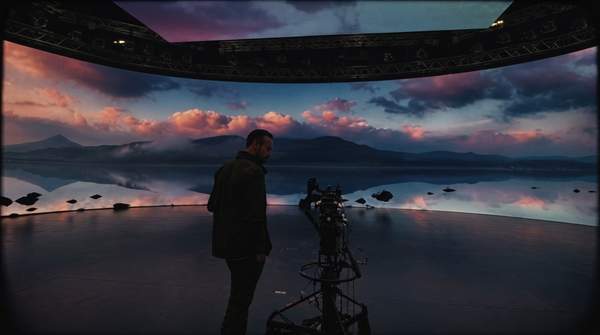
A creator working in a futuristic studio with holographic displays showing video editing timelines and AI processes, highlighting the advanced demands of content creation.

In 2026, video editing demands have outpaced most hardware, leading to performance issues even with advanced software, according to vagon. Content creators often experience significant timeline lag, particularly when integrating AI features like real-time transcription. These AI-driven processes heavily tax system resources, creating bottlenecks that even robust editing applications struggle to overcome. Escalating demand means traditional hardware benchmarks for 'capable' systems are no longer adequate for modern content creation.

While new laptops are marketed as capable of demanding video editing tasks, the reality of 2026 video editing demands, especially with AI features, has outpaced most hardware. Companies marketing new laptops as "capable of demanding video-editing tasks" (PCMag UK) are setting content creators up for immediate frustration. The continuous stream of seemingly powerful and affordable laptops hitting the market is already behind the curve for modern video editing due to the rapid, often hidden, increase in AI-driven system demands.

Content creators risk significant workflow bottlenecks and frustration if they do not carefully assess hardware's true performance under AI-intensive loads. This could lead to a market shift towards more specialized, powerful, and likely more expensive machines. The focus on sleek design and basic specifications in new, affordable hardware is a misdirection; creators must now prioritize raw, often expensive, processing power above all else to avoid crippling workflow bottlenecks from AI integration.

1. The Current Landscape: Software and Baseline Hardware

Best for: Professional video editors and production teams.

Adobe Premiere is recommended for professionals, according to PCMag. It is widely used by agencies, freelancers, and corporate teams due to its flexibility and comprehensive feature set, as noted by vagon. This software facilitates complex projects with extensive effects and multi-track editing. Its deep integration with other Adobe Creative Cloud applications streamlines various aspects of content creation workflows.

Strengths: Industry-standard tools; extensive integration; robust feature set for complex projects. | Limitations: High system demands, especially with AI features; subscription cost. | Price: Subscription-based.

2. CyberLink PowerDirector

Best for: Enthusiasts and semi-professional content creators.

CyberLink PowerDirector is recommended for enthusiasts, according to PCMag. It offers a balance of advanced features and user-friendly interfaces, making it accessible for those who need powerful editing capabilities without the steep learning curve of professional-grade software. The software includes tools for color grading, motion graphics, and 360-degree video editing.

Strengths: Feature-rich for its price; easier to learn than professional alternatives; supports various media formats. | Limitations: Can still strain mid-range hardware with complex projects; less industry-standard than Premiere. | Price: One-time purchase or subscription.

3. Premiere Rush

Best for: Mobile content creators and users with limited internet access.

Premiere Rush is recommended for users with slow internet connections, according to Zapier. This streamlined editor focuses on quick, efficient video production across desktop and mobile devices. It allows creators to capture, edit, and share content directly from their smartphones or tablets, making it ideal for on-the-go workflows. The simplified interface prioritizes speed over intricate controls.

Strengths: Cross-device compatibility; user-friendly interface; optimized for social media sharing. | Limitations: Limited advanced features; less precise control than desktop editors. | Price: Included with Creative Cloud subscriptions; free starter plan available.

4. Clipchamp

Best for: Beginners and users who prefer browser-based editing.

Clipchamp is recommended for users comfortable with a browser-based solution and is free, according to Zapier. This online video editor provides basic editing tools directly within a web browser, eliminating the need for software installations. Its accessibility makes it a starting point for new creators or those needing quick edits without investing in dedicated software or powerful hardware. However, browser-based solutions may face performance limitations given the increasing demands of video editing.

Strengths: Free and easy to access; no software installation required; simple interface. | Limitations: Performance can be tied to internet speed and browser limitations; lacks professional-grade features. | Price: Free; premium features available with subscription.

5. New Contenders: Specs, Portability, and Price

Several new laptops present attractive specifications and pricing, designed to appeal to content creators seeking modern hardware. These machines often highlight a balance of performance, portability, and cost. However, their advertised capabilities might not fully address the intensive demands of 2026 video editing, particularly with AI integration.

ModelKey Specs (Processor, RAM, Storage)Key Design FeaturePrice
Dell 14 PlusCore Ultra 7, 1 TB storage$800
Asus Zenbook S 160.48 inches thick
HP OmniBook 5Snapdragon X, 16 GB RAM, 512 GB storage$580

These new laptops offer compelling combinations of core specifications, portability, and competitive pricing, making them attractive on paper for content creators. The Dell 14 Plus, for instance, offers a Core Ultra 7 processor and a terabyte of storage for $800, according to Wired. The Asus Zenbook S 16 emphasizes portability with a 0.48-inch thickness, as reported by Wired. Meanwhile, the HP OmniBook 5 is available for $580, featuring a Snapdragon X processor and 16 GB of RAM, according to Wired. These characteristics often draw creators looking for value and sleek designs.

6. Beyond 'Capable': The True Test of Performance

Companies marketing new laptops as "capable of handling demanding video-editing tasks," as stated by PCMag UK, are setting content creators up for immediate frustration. The reality of AI-driven features, such as real-time transcription, means even advanced software will struggle with timeline lag on such hardware. While a machine might technically open and run editing software, sustaining an efficient workflow under the burden of modern AI integration is a different challenge.

The focus on sleek design and basic specifications in new, affordable hardware is a misdirection for serious creators. Content creators must now prioritize raw, often expensive, processing power above all else to avoid crippling workflow bottlenecks from AI integration. This means looking beyond general performance claims to specific benchmarks under AI-heavy loads. Without this critical assessment, creators risk investing in hardware that becomes obsolete for their needs almost immediately upon purchase.

Despite general claims of capability, creators must critically evaluate if these machines can truly sustain the intensive, AI-driven workloads without performance degradation. The true test lies in real-world scenarios, where multiple AI processes might run concurrently. An underpowered system will quickly show its limitations, leading to lost time and creative frustration.

7. Future-Proofing Your Creator Setup

Why do video editing software recommendations remain stable in 2026?

The lineup of recommended video editing software remains largely unchanged as of May 8, 2026, according to PCMag. The stability of the lineup indicates that the core functionalities of these applications are well-established. The primary challenge now stems from the escalating computational burden imposed by integrated AI features, rather than a lack of new software tools. While the tools are familiar, the demands placed upon them have silently grown.