Content Creation

How AI Content Creation Works: A Guide to Scriptwriting, Editing, and More

AI is rapidly transforming content creation, offering powerful tools to streamline workflows and amplify creativity. Learn how to integrate AI into your scriptwriting, visual asset creation, editing, and optimization processes.

TC
Tara Collins

March 30, 2026 · 7 min read

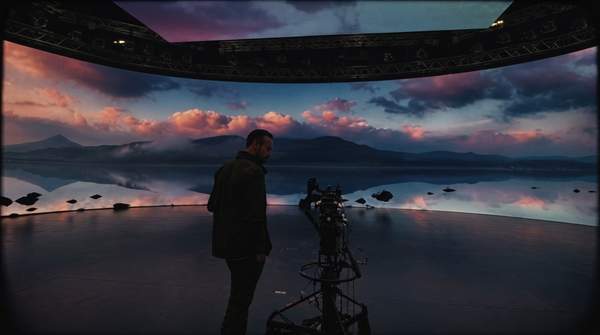
A content creator working with advanced AI interfaces, showing holographic screens for scriptwriting, video editing, and visual asset generation in a modern studio.

You’re staring at a blank document, the cursor blinking patiently. The pressure to generate fresh ideas, write a compelling script, and create eye-catching visuals is a constant challenge for any creative professional. This process can feel isolating and time-consuming. However, a significant shift is underway; the use of AI in modern content creation is no longer a futuristic concept but a practical reality for millions. In fact, according to a recent report from Hootsuite, 85% of marketers are already using AI tools in their workflows. These tools are not here to replace your creativity but to amplify it, turning tedious tasks into swift actions and transforming how you bring your ideas to life.

What Is AI Content Creation?

AI content creation involves using artificial intelligence tools to generate new written or visual content based on text-based instructions, known as prompts. These platforms leverage complex models, like natural language processing (NLP) in the case of chatbots like ChatGPT, to understand human language and produce everything from social media posts and blog articles to custom images and video templates. The primary goal is to assist and accelerate the creative process. By automating repetitive or time-intensive tasks, these tools allow you to focus more on strategy, storytelling, and connecting with your audience, helping you create high-quality content faster and at a greater scale.

How AI Enhances Scriptwriting and Production: A Step-by-Step Workflow

Integrating AI into your content production workflow isn't about handing over control; it's about building a powerful partnership. By leveraging specific tools at each stage, you can streamline your process from initial concept to final publication. This approach helps reduce operational costs and the significant time investment typically required for high-quality content. Let's break down the key steps in a modern, AI-assisted creative workflow.

  1. Step 1: Research and IdeationEvery great piece of content starts with a solid idea. Instead of guessing what your audience wants, you can use AI to uncover trending topics and analyze engagement patterns. Tools like BuzzSumo, for example, are designed to streamline this research phase. According to an analysis by Vocal.media, it helps creators identify popular content and keywords across various social networks. You can use this data to brainstorm video topics, blog post angles, or social media campaigns that are more likely to resonate with your target audience, ensuring your efforts are grounded in what people are actively discussing.
  2. Step 2: Scriptwriting and Copy GenerationOnce you have an idea, the next hurdle is writing the script or copy. This is where generative AI text models become invaluable. An AI-powered tool like Hootsuite's OwlyWriter AI can generate social media captions, post ideas, and content variations from a simple prompt. For longer-form content like video scripts or articles, you can turn to a chatbot like ChatGPT. You can ask it to create an outline for a 10-minute YouTube video, write three different opening hooks, or even draft an entire initial script, which you can then refine and infuse with your unique voice.
  3. Step 3: Visual Asset CreationCompelling visuals are non-negotiable in today's content landscape. AI-based image and video generation tools allow you to create completely original visual content without needing advanced design skills. ARTA, for instance, is a tool that can produce custom images and even video clips from simple text prompts or by transforming existing selfies. Similarly, Canva’s Magic Studio includes AI features that can generate unique layouts, templates, and graphics. This allows you to create custom thumbnails, social media banners, and in-video graphics that perfectly match your script and brand aesthetic.
  4. Step 4: Streamlining Video EditingWhile AI has not fully replaced the nuanced art of video editing, it significantly streamlines the workflow. Many modern editing suites now incorporate AI for tasks like automatic transcription, generating captions, or even suggesting initial cuts. Furthermore, the assets you created in the previous step accelerate the process. Instead of searching for stock photos or B-roll, you can use AI-generated visuals. Tools like Canva’s AI can also assist with resizing a primary video for different platforms—like turning a horizontal YouTube video into a vertical short-form clip—with just a few clicks, saving hours of manual adjustments.
  5. Step 5: Content Optimization and SchedulingYour work isn't done once the content is created. Publishing it at the right time and analyzing its performance are key to success. This is another area where AI offers a major advantage. Platforms like Agorapulse use AI to help you coordinate publishing schedules, manage audience communications, and gather analytics from a single interface. By analyzing engagement data, these tools can suggest the best times to post for maximum reach, helping you optimize your content strategy and ensure your hard work gets the visibility it deserves.

Common Mistakes When Using AI for Content Creation

As with any powerful tool, there's a learning curve to using AI effectively. Many creators make avoidable errors that can lead to generic, inaccurate, or off-brand content. Understanding these pitfalls is the first step toward leveraging AI as a true creative partner. Some researchers suggest generative AI is revolutionizing content, as noted in a paper available on PhilArchive.org, but its power must be wielded with care.

  • Treating AI Output as Final: One of the biggest mistakes is copying and pasting AI-generated text directly without review. Hootsuite's analysis suggests that tools like ChatGPT work best as a collaborator, not a replacement for human creativity. Always edit for tone, inject your brand's unique voice, fact-check every claim, and refine the text to meet your quality standards.
  • Using Vague or Generic Prompts: The quality of AI output is directly proportional to the quality of your input. A prompt like "write a blog post about video editing" will produce a generic article. A better prompt would be: "Write a 1000-word blog post for beginner filmmakers about the three most common editing mistakes in Adobe Premiere Pro. Use a practical, encouraging tone and include actionable tips for each mistake." The more context and direction you provide, the better the result.
  • Ignoring Ethical Considerations: AI models are trained on vast datasets from the internet, which can include biases and copyrighted material. It is your responsibility to ensure the content you publish is original, ethical, and does not infringe on intellectual property. Always review AI-generated content for potential biases and use plagiarism checkers if you have any doubts.
  • Forgetting Your Audience: AI doesn't know your audience the way you do. It cannot replicate the inside jokes, shared history, or specific pain points that build a loyal community. Relying solely on AI can create a distance between you and your viewers. Use AI to handle the heavy lifting, but ensure the final product speaks directly to your audience with the authentic voice they expect from you.

Advanced Tips for Integrating AI into Your Workflow

Once you've mastered the basics, you can begin to integrate AI in more sophisticated ways. These advanced strategies will help you unlock even greater efficiency and creativity, transforming AI from a simple tool into an indispensable part of your creative process. The key is to think of AI as a way to augment your skills, not just automate tasks.

First, develop a comprehensive prompt library for your brand. This involves creating and saving detailed, high-performing prompts for recurring tasks. For example, you might have a prompt for generating YouTube titles in your specific format, another for writing social media captions in your brand voice, and a third for brainstorming video ideas within your niche. A well-organized library saves time and ensures consistency across all your content.

Second, use AI as an active brainstorming partner rather than a simple content generator. Instead of asking it to "write a script," ask it to "generate 10 controversial questions about the future of filmmaking" or "list 5 unexpected ways to use a drone for cinematic shots." This approach uses the AI's vast knowledge base to spark your own creativity, providing you with unique angles and ideas you might not have considered otherwise.

Finally, create a multi-tool "stack" where different AI platforms handle different parts of your workflow. You might use one tool for topic research, another for scriptwriting, a third for generating custom thumbnails, and a fourth for scheduling your social media posts. By combining the strengths of several specialized AI tools, you can build a highly efficient, end-to-end content production system that is customized to your specific needs.

Frequently Asked Questions

How do AI tools help with scriptwriting?

AI tools assist scriptwriting by rapidly generating foundational content. They can create detailed outlines based on a topic, draft entire scenes or dialogue sections, suggest multiple versions of an opening hook to grab viewer attention, and even rewrite a script in a different tone or for a different audience. This allows you to overcome writer's block and move quickly to the editing and refinement stage.

Can AI replace professional video editors?

Currently, AI cannot fully replace the creative decision-making and storytelling skills of a professional video editor. However, AI is becoming an essential assistant in the editing process. It excels at specific, time-consuming tasks like transcribing audio, generating subtitles, identifying and removing filler words, or suggesting B-roll clips. The creative choices regarding pacing, emotional impact, and narrative flow still require human expertise.

What are some of the best AI tools for social media content?

For social media, several AI tools are highly effective. Tools like OwlyWriter AI are built specifically for generating captions and post ideas tailored to different platforms. Visual tools like Canva Magic Studio help create platform-specific graphics, templates, and videos from text prompts. For management, platforms like Agorapulse use AI to help schedule posts for optimal engagement and analyze performance data.

The Bottom Line

Artificial intelligence is a transformative force in content creation, offering powerful tools to streamline workflows, spark new ideas, and produce high-quality work more efficiently. From scriptwriting and visual generation to editing and optimization, AI is being utilized across the entire production pipeline. To make the most of these technologies, view them as collaborators that handle the repetitive work, freeing you to focus on the uniquely human elements of creativity, strategy, and audience connection. Your next step is to identify one time-consuming task in your current workflow and explore how a dedicated AI tool can help you do it better and faster.